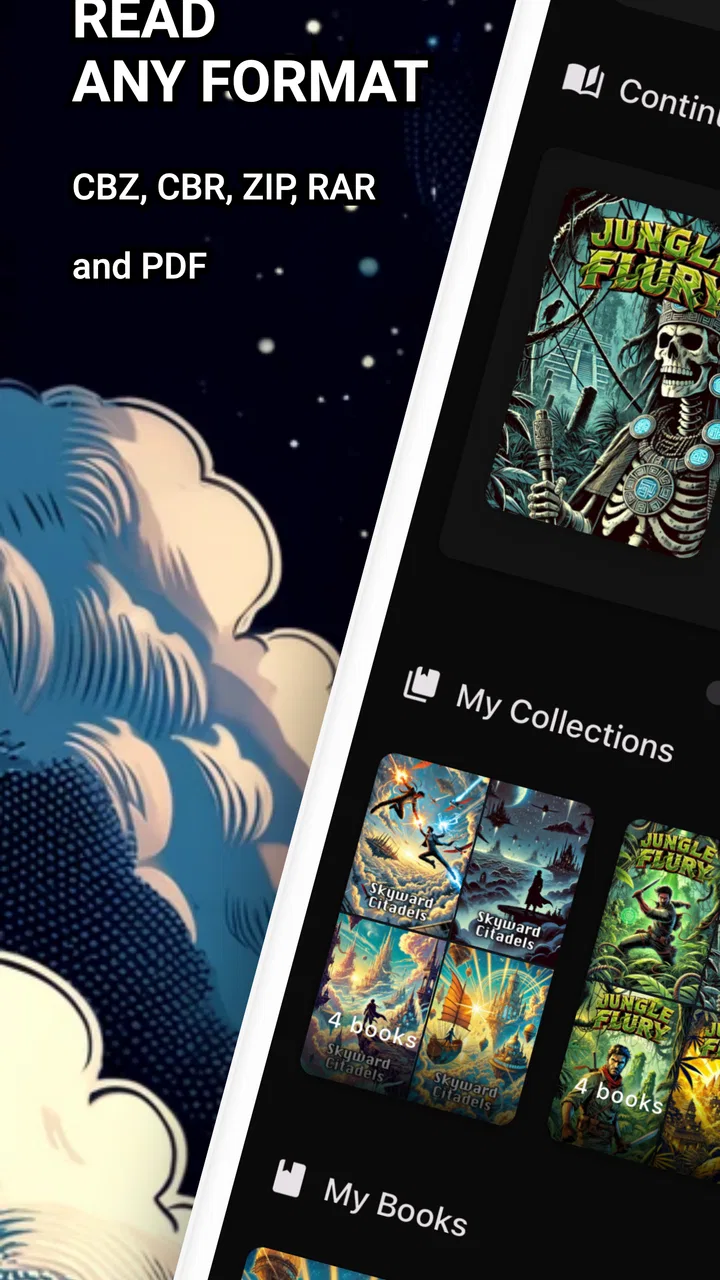
Comic Reader CBR, CBZ & PDF
- 3.7
- Rating
- 100.00K
- Installs
- Free
- Price

 Analysis by App-foxy
I approached Comic Reader CBR, CBZ & PDF as a practical reading tool rather than a full comic-book library, and that distinction matters. Its job is straightforward: let me open comics I already have on my device, including ZIP, RAR, CBZ, CBR, and PDF files. In my experience, that focused approach is its biggest strength and also its main limitation. It is useful when your collection is stored locally, but it is not the kind of app I would choose if I wanted recommendations, a built-in catalog, or a polished reading ecosystem.
The app comes from Mad Mustache Company and sits in the comics category. It is free to install, with optional in-app purchases ranging from $1.99 to $69.99 per item. That makes it easy to try without committing money first, although anyone who dislikes purchase prompts should pay attention to what is offered inside the app. The age rating is Everyone, so it is presented as a general-purpose reader rather than an app aimed at mature comic content.
My overall view is simple: this is a sensible utility for opening a mixed collection of comic archives and PDFs, especially if you want one reader instead of separate tools for each format. It feels most valuable for people who manage their own files, while dedicated comic platforms remain a better fit for readers who expect discovery, subscriptions, cloud libraries, or a more elaborate reading experience.
You May Also Like

 Blood Strike: 2.5 Anniversary
Blood Strike’s Loadouts Turn Every Drop Into a Tactical Gamble
A close look at Blood Strike’s custom loadouts: how fast access to signature weapons reshapes its battle royale rhythm, rewards preparation, and narrows the gap between fights.

 Pandora - Music & Podcasts
Pandora’s Music Is Easy to Start, but Harder to Recover
Pandora’s strength is its low-effort path from a seed to a station. Its weak spot is how much confidence it asks you to place in connection, setup, and quiet recovery.

 8 Ball Pool
 Is Built on Rivalries, Rematches, and Routine
A close look at the rivalries, rematches, shared routines, and unanswered safety questions that turn a quick pool match into a persistent mobile community.

 Samsung Music
’s Quiet Strength Is Playing What You Already Own
Its reach comes less from spectacle than from dependable access to a personal library. That simplicity is both the app’s strongest retention engine and its ceiling.

 AccuWeather: Weather Radar
AccuWeather Review: A Quick, Clear Forecast for Everyday Decisions
For everyday plans, the best forecast is the one you can understand quickly. AccuWeather makes rain timing, radar, and local conditions easy to act on, with a few trade-offs.

 Hill Climb Racing
Why Hill Climb Racing Still Turns Crashes Into One More Run
A tiny car, a bumpy hill and one more upgrade: Hill Climb Racing keeps resurfacing because its simple chaos makes every near-miss feel personal.
More From Our News Desk



How the reader handles a personal comic collection
The first thing I like about this app is the range of file types it targets. Comic collections are often messy: one series may arrive as CBZ, another as CBR, and a digital graphic novel may be supplied as PDF. ZIP and RAR archives add another layer of inconsistency. Having a single app for those formats removes a surprisingly common annoyance, particularly when I am moving files between a computer and a phone.
That flexibility is more useful than it sounds. A CBZ file is essentially a comic archive built around ZIP compression, while CBR uses the RAR format. Many general file viewers can handle one of these formats but not both, and PDF readers do not always provide a comfortable comic-reading layout. Comic Reader CBR, CBZ & PDF is designed around that exact gap. Instead of converting everything before reading, I can try opening the files in their existing form.
A realistic everyday use case would be a commute or a quiet evening when I want to continue a comic saved in a downloads folder. I do not need to search a store, sign into a separate service, or reorganize the book into a new format first. I locate the file, open it, and read. That direct workflow is the reason I would recommend it to someone who already owns digital comics and simply needs a compatible mobile reader.
The app is also a reasonable companion for people who use more than one device. I might keep a larger archive on a computer, copy a few volumes to my phone, and use the app when I am away from home. It does not replace a synchronized library, but it can serve as the viewing end of a simple manual workflow. The trade-off is that I remain responsible for file organization, transfer, naming, and backups.
Why format support changes the buying decision
Many readers focus on page-turning animations or visual themes when comparing comic apps, but compatibility should come first. A beautiful reader is not very helpful if it refuses the files I already have. Here, the ability to work with ZIP, RAR, CBZ, CBR, and PDF files gives the app a practical advantage over ordinary document viewers.
There is a useful distinction between an archive reader and a comic marketplace. This app is on the archive-reader side. It is most comfortable when I think of my comics as files rather than as purchases inside a service. That means I can use it with material obtained from different legitimate sources, provided I have the right to read and store those files. It also means the app does not solve the problem of finding comics in the first place.
For someone with a small personal collection, this can be liberating. I do not have to rebuild the collection around one provider. For someone who wants an all-in-one experience, it may feel bare. The app’s value depends heavily on whether the reader already has content prepared for it.
Practical ways to keep reading smoother
My first tip is to keep comic files in clearly named folders before opening them. A naming pattern that includes the series and volume makes a bigger difference on a phone than it does on a computer. If several archives have vague filenames, the reader can open them, but it cannot make a disorganized collection feel organized.
A second useful habit is to test one file from each source before transferring an entire series. Different archives can be assembled in different ways, and a quick check helps identify a compatibility problem early. This is particularly worthwhile when a collection mixes CBR, CBZ, and PDF files. The app’s broad format support is valuable, but it does not magically repair a damaged or badly packaged archive.
I would also keep the original files untouched. If a comic opens slowly, displays incorrectly, or behaves unexpectedly, having the original archive available makes it easier to try another reader or convert a copy. This is a small but important trade-off with local-file apps: control is yours, but so is the responsibility for preserving the collection.
Another practical point is storage. Comic archives can be large, and keeping several volumes on a phone may compete with photos, videos, or other downloads. A reader like this works best when I transfer only the books I plan to read soon, then remove them when finished. That approach keeps the local library manageable without requiring a complicated cataloging system.
Where it succeeds, and where the experience becomes less convincing
The strongest evidence in favor of the app is its clear purpose. It is not trying to be a social network, a storefront, or a general document manager. It addresses a specific problem: opening common comic archive formats and PDFs on a mobile device. That focus makes it easier to understand who should install it and what the first test should be. If my files open reliably, the app has already solved the central problem.
The free price also lowers the risk of experimenting. I can install it, try a few files, and decide whether its handling suits me before spending anything. The current version is 1.29.1, and the app supports Android 7.0 or later, which gives it a relatively broad compatibility range for users with older Android phones. I would still judge it by actual performance on the device, especially when reading large archives, rather than assuming that operating-system support guarantees an identical experience everywhere.
The public response is mixed rather than universally enthusiastic. It has an average rating of 3.3 from around 355 ratings, with around 10 written reviews. I read that as a reason to keep expectations measured. The app is popular enough to have passed 50 thousand installs, but its audience is still looking for a practical tool, not necessarily a premium reading platform.
That middle-ground reception makes sense to me. File compatibility is a strong foundation, but it does not automatically produce a refined comic experience. Readers often care about navigation, page scaling, orientation, progress tracking, and how comfortably an app handles different page layouts. Those details become more important during a long reading session than they do during a quick compatibility test.
One meaningful weakness is that a file-based reader places more work on the user than a service with a managed library. I have to know where my files are, decide how to transfer them, and maintain the collection myself. If I switch phones, I cannot assume that my reading list and files will simply appear there. This is not a flaw in the basic concept, but it is a real cost that should be part of the decision.
The same limitation affects discovery. If I finish one volume and want something similar, the app’s purpose does not naturally lead me to a recommendation. I would need to use another source to find the next title. Readers who enjoy browsing curated shelves, following creators, or receiving personalized suggestions will probably feel more at home in a dedicated comics service.
The presence of in-app purchases is another point I would consider before settling on it as a daily reader. The app itself is free, but individual purchases can range from $1.99 to $69.99. That broad span means I would inspect the purchase screen carefully and avoid assuming that every useful function is included without cost. The free entry point is appealing, yet the overall value depends on whether the available paid options match what I actually need.
There is also a subtle trade-off between broad compatibility and a consistent reading experience. PDFs can be created for many different page sizes and layouts, while comic archives may contain image pages with their own dimensions. A reader that accepts all of these formats has to deal with variety. In practice, I would judge a file on its own rather than expect every book to look equally comfortable without adjustment.
For that reason, I would not choose this app solely because it lists many supported extensions. The real question is whether my particular collection opens in a way that feels good over time. A short trial with a PDF, a CBZ, and a CBR file is more informative than the format list alone. That is the most useful test a new user can perform.
How it compares with the usual alternatives
Compared with a standard PDF reader, this app is more relevant to a mixed comic collection because it is built around comic archives as well as PDFs. A general PDF tool may be excellent for documents but less convenient when the collection includes CBR or CBZ files. If nearly everything I read is PDF, a familiar document reader might still be enough, especially if I already rely on its annotation or cloud features.
Compared with a desktop comic manager, the mobile app is more convenient for casual reading away from a computer, but it is unlikely to replace the organizational depth of a larger library tool. Desktop software often makes it easier to sort extensive collections, edit metadata, or manage many volumes at once. I would use this app for portability and a desktop manager for serious catalog maintenance if my collection became large.
Compared with subscription-based comics platforms, the difference is even clearer. Those services are better for discovery, licensed catalogs, synchronized progress, and a polished ecosystem. This app is better when I want to read files I already possess without locking the collection to one provider. Neither approach is automatically superior; they serve different habits.
Compared with another lightweight local reader, the deciding factor would be file handling on my own device. If a competing tool offers the same formats but provides a cleaner library, easier navigation, or fewer interruptions, it may be the better long-term choice. Comic Reader CBR, CBZ & PDF earns consideration because it covers the formats many readers actually encounter, not because a broad list of extensions guarantees the best interface.
Who will get the most from it
I would recommend this app to a reader who downloads or transfers comics in several formats and wants a single Android tool for opening them. It is especially suitable for someone who values independence from a storefront, keeps a personal archive, or needs a quick way to read a few volumes on a phone. The free installation makes the initial trial uncomplicated.
It may also suit students or travelers who carry reference comics, independent publications, or graphic novels as local files. In those situations, the important feature is not a recommendation engine; it is the ability to open the material when an internet connection or a particular service is inconvenient. Keeping only selected files on the device can make the setup simple and predictable.
I would be more cautious about recommending it to a reader who expects a polished digital bookstore. If your priority is buying comics inside the app, discovering new series, synchronizing progress automatically, or maintaining a large cloud-based library, a dedicated platform is likely a better match. The same applies if you dislike manually managing folders and files.
Parents may appreciate the Everyone age rating, but I would still treat the files themselves as the deciding factor for suitability. A general age rating describes the app’s presentation, not every comic a user might open with it. The reader is a container for personal content, so normal judgment about the collection remains important.
My final recommendation after testing the idea in daily use
Comic Reader CBR, CBZ & PDF is most convincing when I use it as a dependable doorway into a personal collection. Its support for common archive formats and PDFs addresses a real problem, and the free starting point makes it easy to see whether it fits my files. The app’s identity is practical rather than luxurious, which is exactly what some readers need.
At the same time, I would not mistake compatibility for a complete comic ecosystem. The mixed 3.3 average rating suggests that the experience will not satisfy everyone, and the manual nature of local-file reading can become tiring when a collection grows. In-app purchases also deserve a careful look before I treat the free app as a fully unrestricted solution.
My advice is to install it if your immediate problem is opening CBR, CBZ, ZIP, RAR, or PDF comics on an Android device running 7.0 or newer. Start with a small sample from your collection, organize the files clearly, and see whether the reading flow feels comfortable. If that test goes well, this is a useful, focused companion. If what you really want is discovery, synchronization, or a managed catalog, I would spend my time comparing full comic platforms instead.
In short, I see it as a practical utility with a clear audience: people who own comic files and want to read them without converting everything first. Choose it for format flexibility and local control, not for a storefront or an elaborate library experience. That honest expectation is what makes the app worthwhile.
FAQs for Comic Reader CBR, CBZ & PDF
01What file formats does Comic Reader CBR, CBZ & PDF support?
Comic Reader CBR, CBZ & PDF supports a wide range of file formats, including CBR, CBZ, and PDF, making it versatile for most comic book collections. This compatibility ensures that users can easily access and enjoy their favorite comics without needing to convert files into a different format.
02Is Comic Reader CBR, CBZ & PDF available for both Android and iOS devices?
Yes, Comic Reader CBR, CBZ & PDF is available for download on both Android and iOS platforms. This cross-platform availability allows users to enjoy their comic books on a variety of devices, ensuring a seamless reading experience whether on a smartphone or a tablet.
03Does Comic Reader CBR, CBZ & PDF offer any customization options for reading?
Comic Reader CBR, CBZ & PDF offers numerous customization options to enhance the reading experience. Users can adjust settings such as page layout, zoom levels, and background colors. This flexibility allows readers to tailor the app to their personal preferences for optimal comfort while reading.
04Are there any in-app purchases or ads in Comic Reader CBR, CBZ & PDF?
Comic Reader CBR, CBZ & PDF may include ads and in-app purchases. While the basic features are usually free, users might encounter advertisements. For an ad-free experience or additional features, in-app purchases might be available. It's best to check the app's description for specific details.
05How user-friendly is Comic Reader CBR, CBZ & PDF for beginners?
Comic Reader CBR, CBZ & PDF is designed to be user-friendly, making it accessible even for beginners. The app includes an intuitive interface with easy navigation, allowing users to quickly locate and open their comic files. Additionally, helpful guides or tutorials might be available to assist new users.
Pros
- Supports multiple comic formats seamlessly.
- High-quality image rendering for clarity.
- Customizable reading settings for comfort.
- Offline reading mode available.
- Easy navigation with intuitive gestures.
Cons
- Occasional lag with large files.
- Limited cloud storage integration.
- Ads in free version can be intrusive.
- No annotation feature for notes.
- Frequent updates may disrupt usage.

Comic Reader CBR, CBZ & PDF
Gallery